Meal planner for your phone

Plan meals. Shop one list.

Pick a few quick dinners, get one grocery list sorted by aisle, then cook step by step with built-in timers. No account, no ads, and your plan stays on your phone.

Coming soon

See what it does
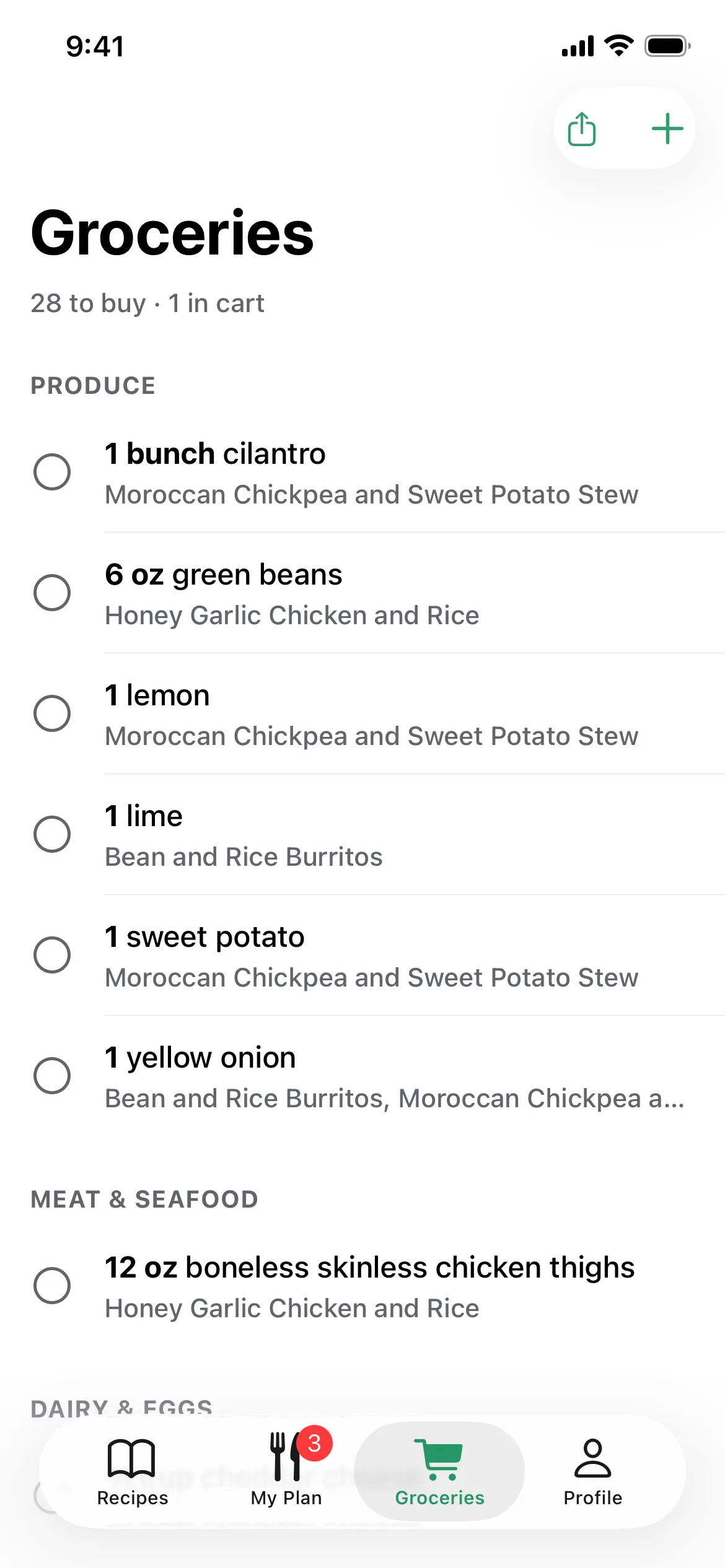
The grocery list, grouped by aisle.
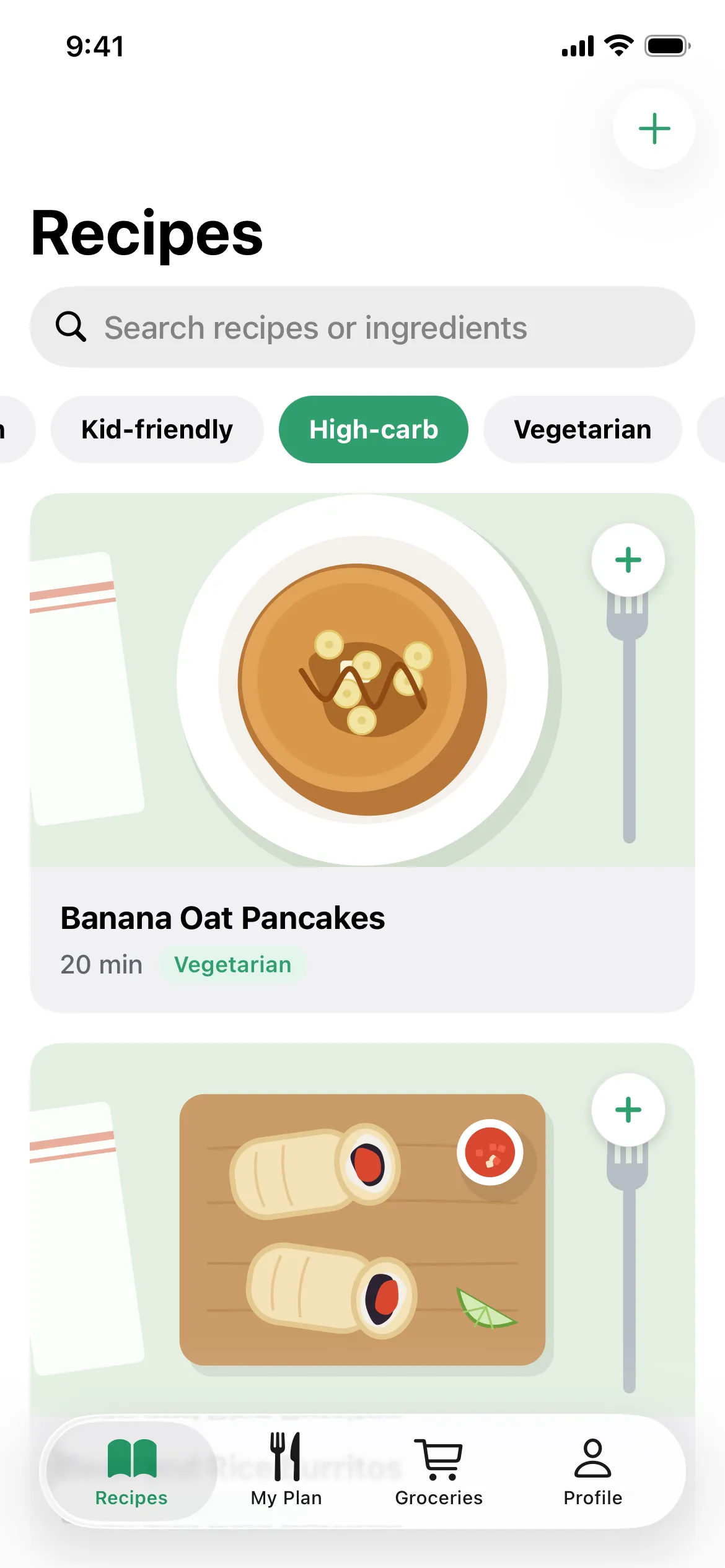
The Recipes screen with search, filter chips such as Kid-friendly and High-carb, and recipe cards.

Scan a recipe

Your cookbooks, in your meal plan

Snap a photo of a cookbook page or a magazine clipping. Mealz turns it into a proper recipe, ready to plan, shop for and cook.

  • Ingredients matched for you. Each line becomes an amount and an ingredient, so it lands on your grocery list in the right aisle.
  • Steps with timers. Times in the method (“simmer for 10 minutes”) become timers in cook mode.
  • Long recipes and two-column pages. Add a photo per page; columns are read in the right order.
  • You stay in charge. The text is read on your phone first. If you allow it, Claude tidies it into a recipe; if not, it’s organized on your phone. Either way you check it before saving.

Rather type? “Type It In” opens the same editor.

  1. Snap a photo of the page
  2. Mealz reads it into a recipe
  3. Check it over and save
An animation: a photo of a cookbook page for Lemon Ricotta Pasta with Peas is read by Mealz and turns into an editable recipe with matched ingredients and a 10-minute timer on the first step.

Everything for dinner, in one app

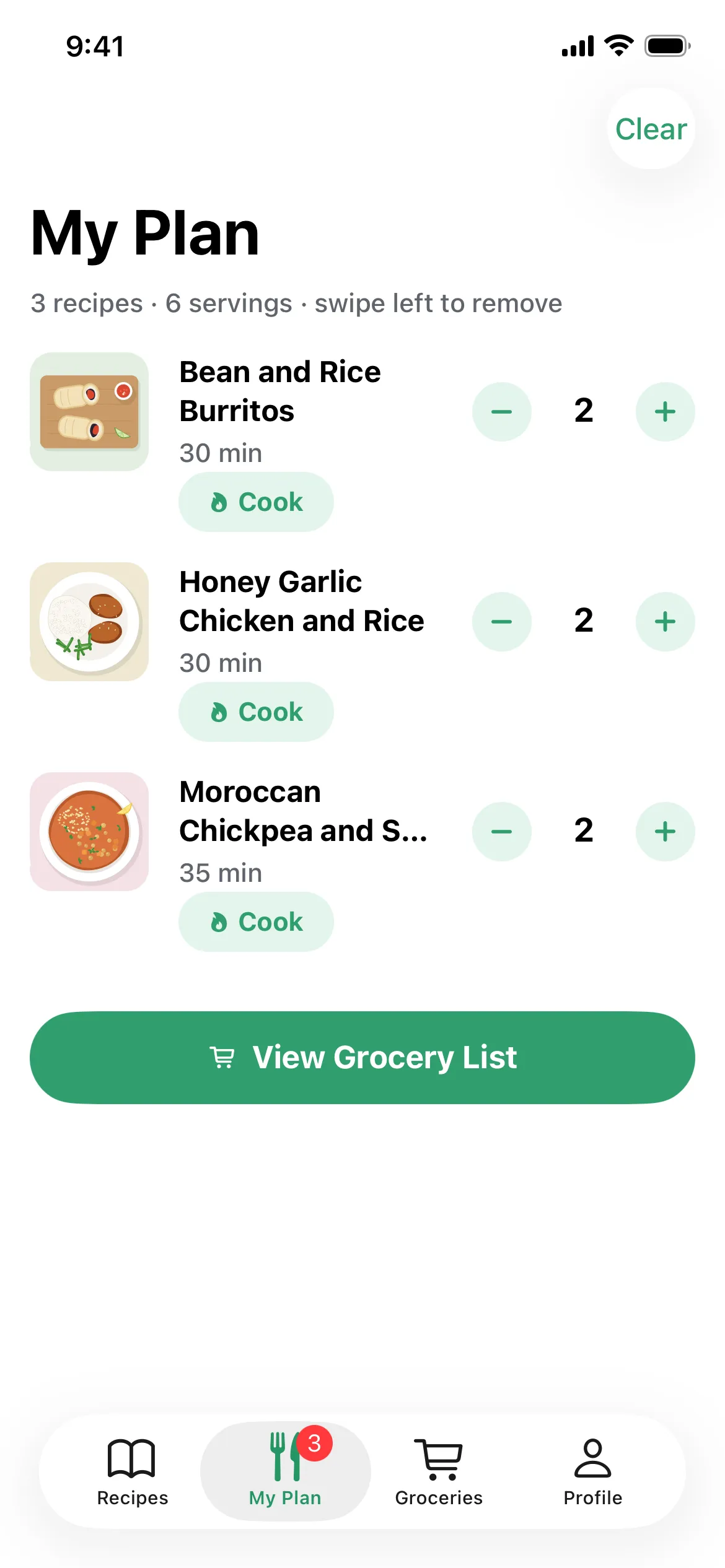
My Plan screen with three recipes, servings for each and a View Grocery List button.

Plan the week in a few taps

Browse 120 quick, weeknight-friendly recipes and tap + to add them to your plan. Each recipe scales to your household, in US or metric amounts.

Mealz only shows recipes that fit your diet, skips anything with your allergens and leaves out ingredients you don’t like.

  • Vegetarian
  • Vegan
  • Pescatarian
  • Low-carb
  • Quick
  • One pan
  • Kid-friendly
  • High-carb
  • Favourites

Training for a race? The High-carb filter finds pasta, rice, noodle and potato dinners for endurance training.
Groceries screen listing produce such as 1 bunch cilantro and 4 cloves garlic, each with the recipes that use it.

One grocery list, sorted by aisle

Your list builds itself from the plan. Ingredients from every recipe are merged and rounded up to what you can actually buy (“3 limes”, “1 bunch cilantro”), then grouped by aisle so you shop in one pass.

Check things off as you go, add your own items, and share the list with anyone in your household.

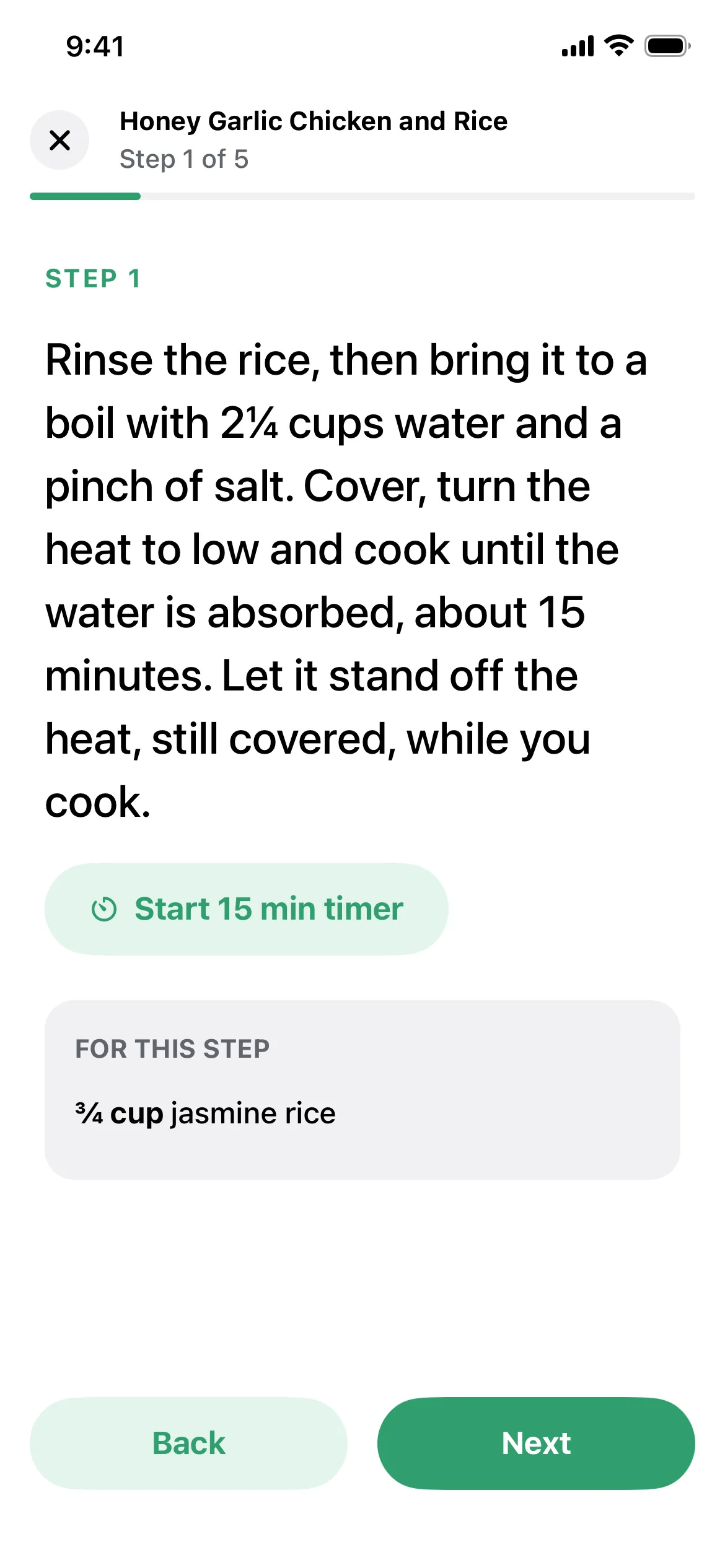
Cook mode showing step 1 of 5 in large type, a Start 15 min timer button and the ingredients for that step.

Cook one step at a time

Cook mode shows each step in big, readable type with exactly the ingredients that step needs, and keeps the screen awake.

Tap a timer and Mealz lets you know when it’s done, even if you leave the app.

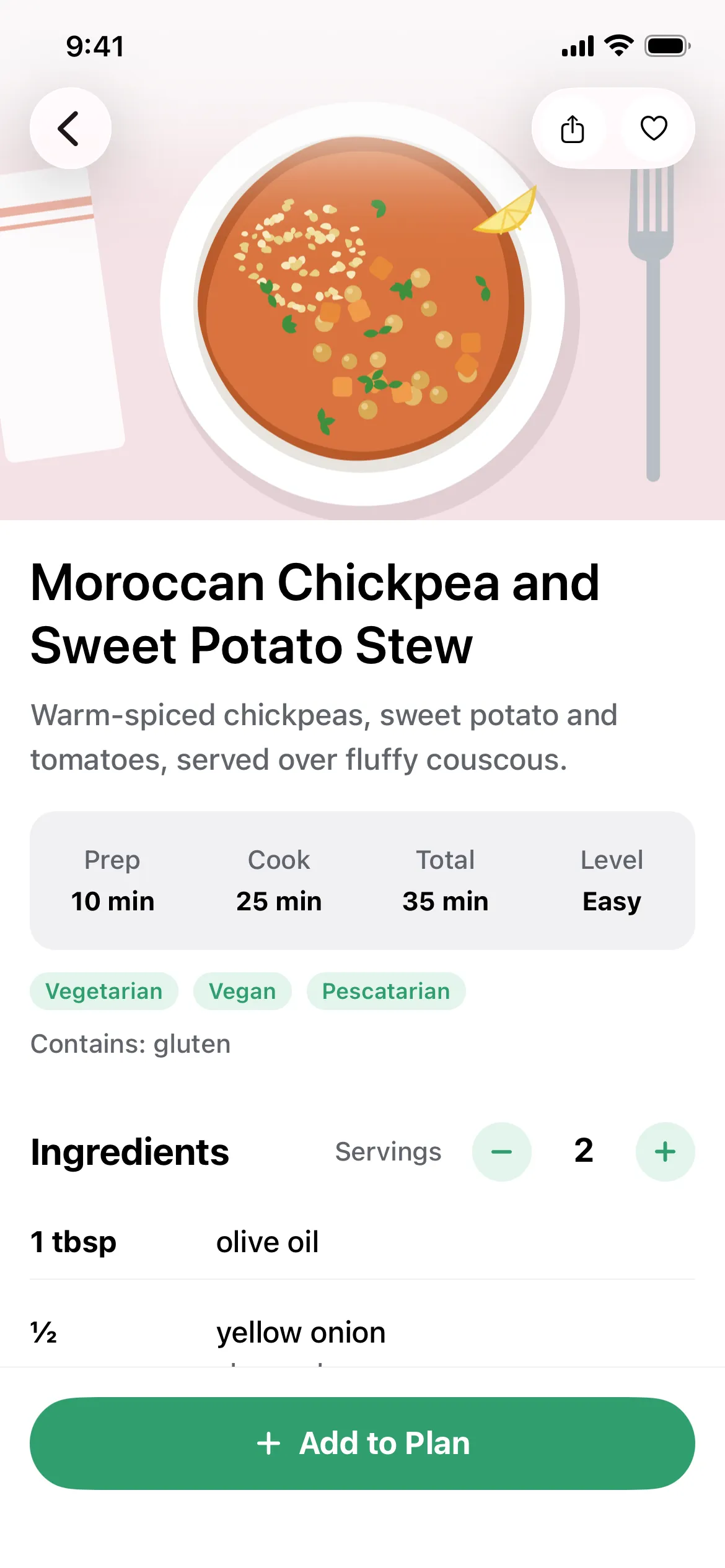
A recipe page with share and favourite buttons, prep and cook times, diet tags and a servings control.

Share a recipe with a link

Send any recipe as a link. The whole recipe travels inside the link itself, so no server stores it.

Friends with Mealz open it straight in the app and can save their own copy. Anyone else sees the recipe in their browser.

Private by design

  • No accounts. Open the app and start planning. There’s nothing to sign up for.
  • Your data stays on your phone. Your plan, list, recipes and preferences are stored only on your device.
  • No ads, analytics or tracking.
  • Scans leave only with your OK. A recipe you scan is sent to be read in the cloud only if you allow it, and you can switch that off any time.

Read the privacy policy

What’s for dinner? Sorted.

Coming soon